> ## Documentation Index
> Fetch the complete documentation index at: https://docs.growthxai.com/llms.txt
> Use this file to discover all available pages before exploring further.
# Password Reset and Account Access
> Request a reset link from the sign-in page and set a new password.
If you can't remember your password, you don't need an admin to reset it for you. Request a link from the sign-in page and set a new one yourself.
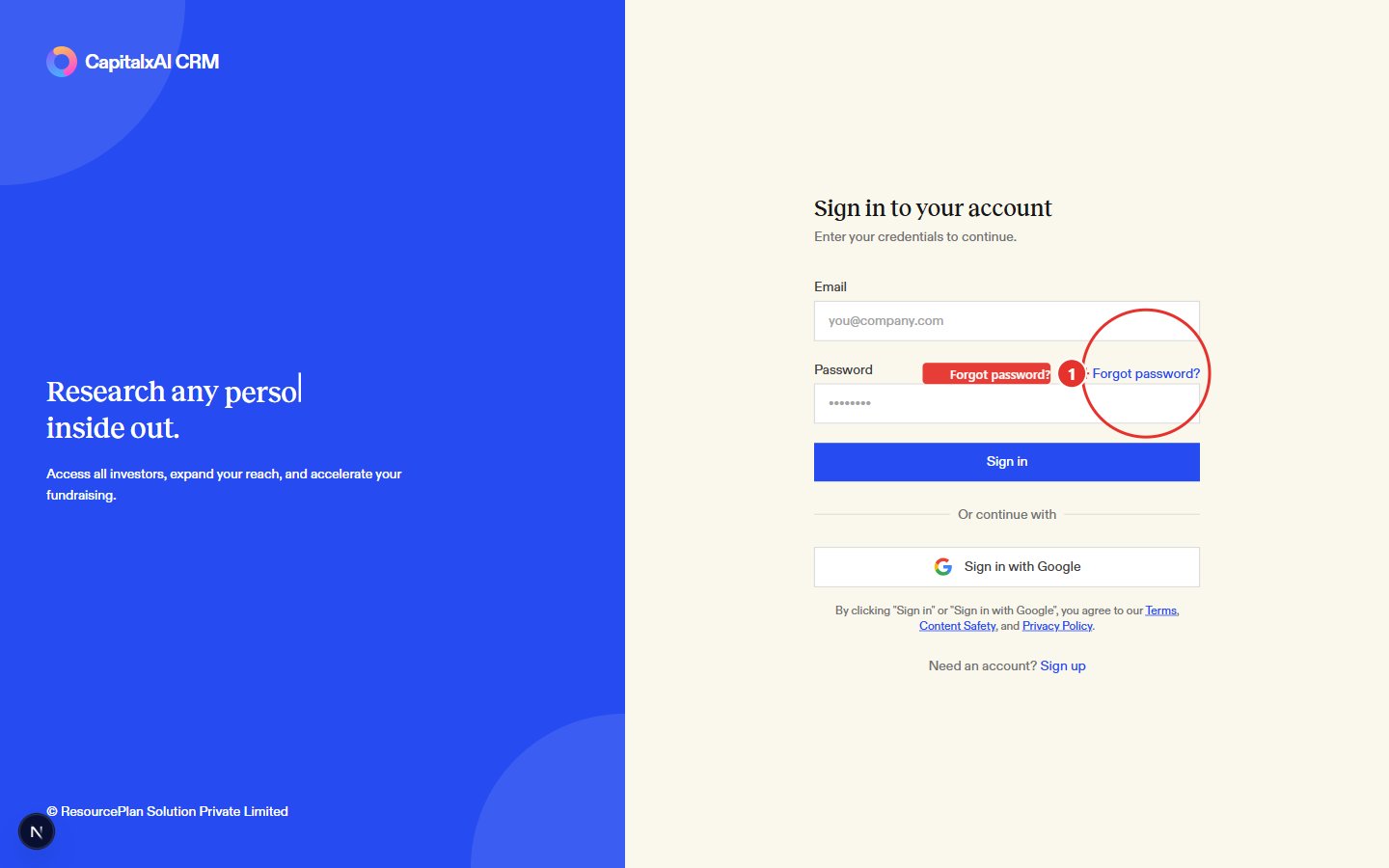
On the sign-in page, click **Forgot password?** (1), next to the Password field.
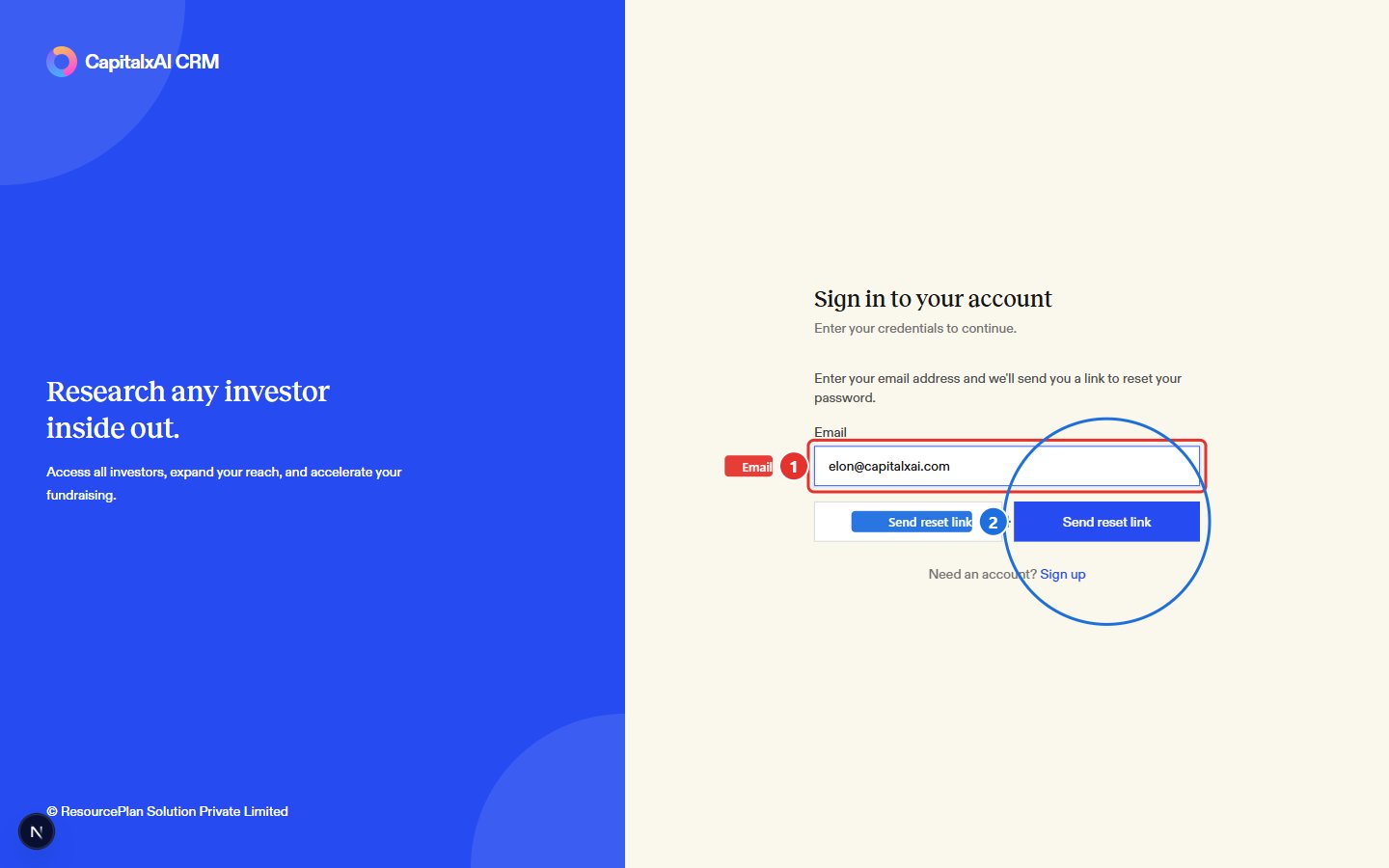
 Enter the email address on your account (1) and click **Send reset link** (2).
 If an account exists for that address, you'll see a message confirming the link was sent. You won't be told whether the address matched an account. That's intentional, so the form can't be used to check who has one.
Open the email and click the reset link. It takes you to a **Reset your password** page. Enter a new password (at least 6 characters), confirm it, then click **Update password**. You're sent back to the sign-in page once it's saved.
Reset links expire. If you open one that's too old, the reset page tells you it's invalid and sends you back to sign-in. If it's been a while since you asked for the email, request a fresh link instead of reusing an old one.
## Related articles
* [Frequently Asked Questions (FAQ)](/getting-started/onboarding-first-steps/faq)
* [Team Management](/subscription-and-billing/team-management)
If an account exists for that address, you'll see a message confirming the link was sent. You won't be told whether the address matched an account. That's intentional, so the form can't be used to check who has one.
Open the email and click the reset link. It takes you to a **Reset your password** page. Enter a new password (at least 6 characters), confirm it, then click **Update password**. You're sent back to the sign-in page once it's saved.
Reset links expire. If you open one that's too old, the reset page tells you it's invalid and sends you back to sign-in. If it's been a while since you asked for the email, request a fresh link instead of reusing an old one.
## Related articles
* [Frequently Asked Questions (FAQ)](/getting-started/onboarding-first-steps/faq)
* [Team Management](/subscription-and-billing/team-management)