

1
Open the reset form
On the sign-in page, click Forgot password? (1), next to the Password field.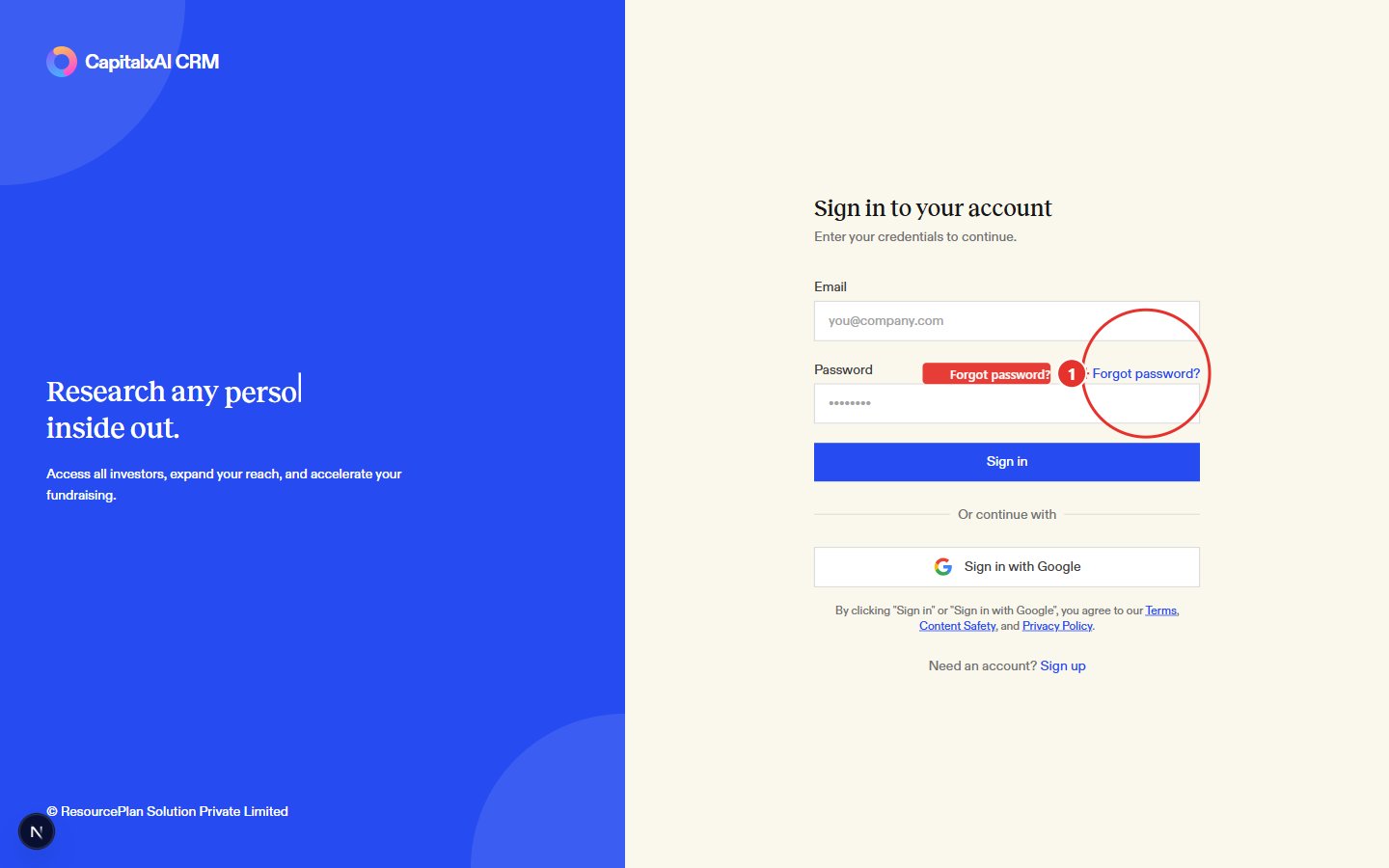
2
Request a link
Enter the email address on your account (1) and click Send reset link (2).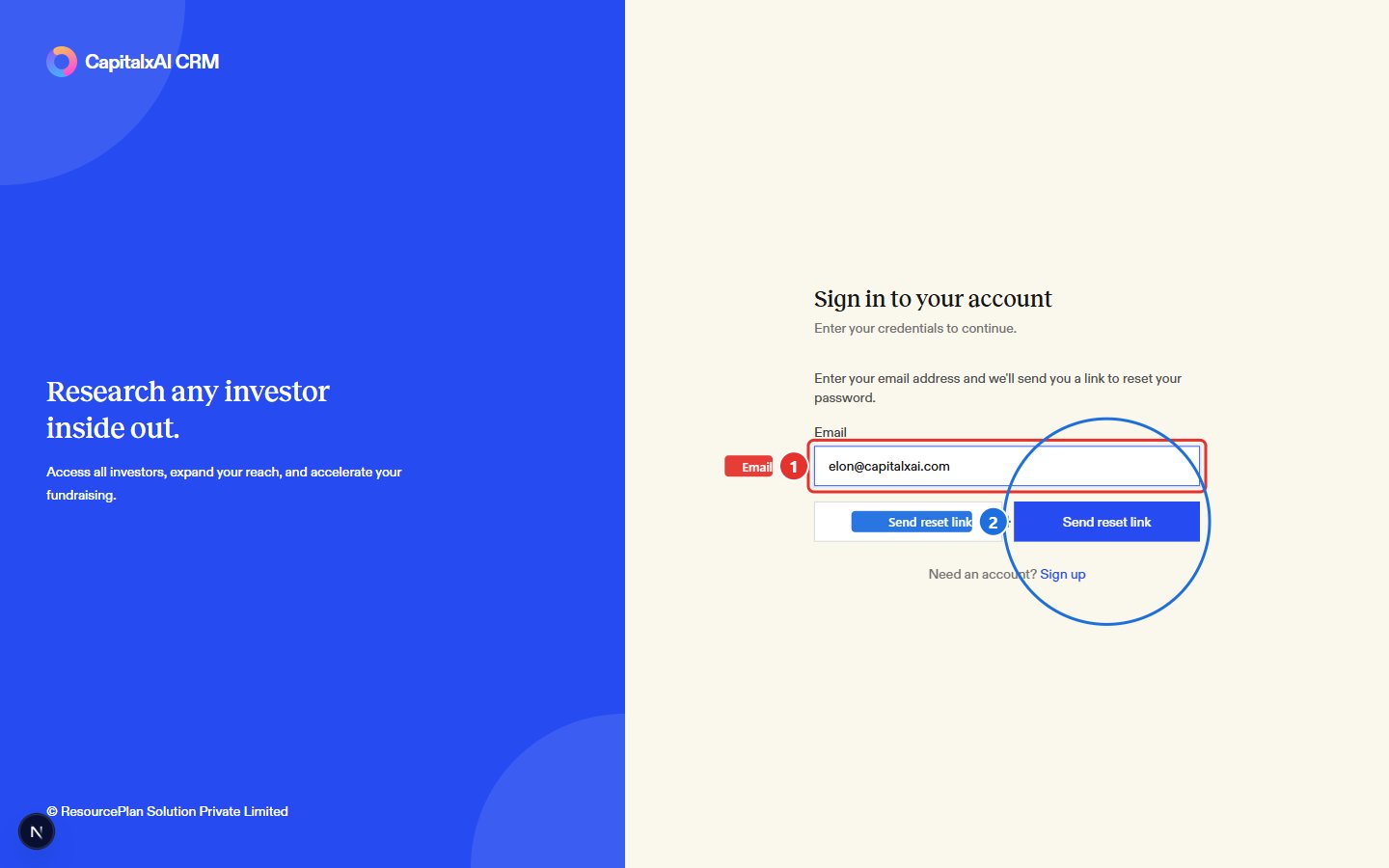
3
Set a new password
Open the email and click the reset link. It takes you to a Reset your password page. Enter a new password (at least 6 characters), confirm it, then click Update password. You’re sent back to the sign-in page once it’s saved.
Reset links expire. If you open one that’s too old, the reset page tells you it’s invalid and sends you back to sign-in. If it’s been a while since you asked for the email, request a fresh link instead of reusing an old one.